
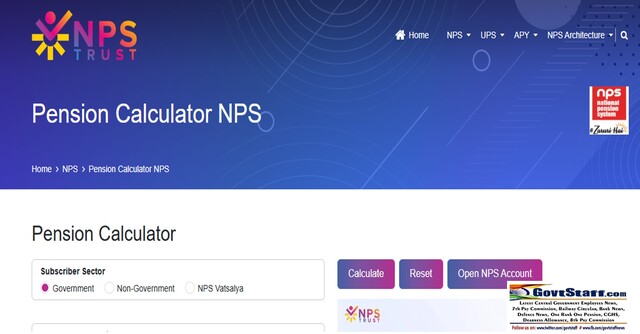

NPS Pension Calculator by NPS Trust – User Manual (v2.0)
NPS Pension Calculator by NPS Trust to plan better. This manual explains how to use the NPS Pension Calculator (v2.0) to estimate retirement savings. Users input their employment sector, investment scheme, and monthly contributions. The tool factors in age, expected returns, and the “Annuity Ratio”—the portion of savings converted into a lifelong pension. By adjusting these variables, subscribers can project their final lump sum and monthly payouts, helping them create a personalized financial plan for a secure post-retirement lifestyle.
Understanding the NPS Pension Calculator
The National Pension System (NPS) is a long-term investment plan designed to help you save for retirement. To help you plan better, the NPS Trust provides a Pension Calculator.
This guide explains how to use the calculator in simple steps so you can estimate your future monthly pension and lump sum savings.
Step 1: Entering Your Information
To get an accurate result, you need to fill in several details. Some are mandatory (required), and others can be left as defaults.
1. Choose Your Sector
Select the category that matches your employment:
- Government: For central or state government employees.
- Non-Government: For private-sector employees or self-employed individuals.
- NPS Vatsalya: A special category for minors (under 18 years old) managed by a parent.
2. Select Your Investment Scheme
Your money is invested in different ways depending on your risk level.
- Auto Choice: The system automatically manages your money. As you get older, it moves funds from risky stocks (Equity) to safer options (Bonds).
- Active Choice: You decide exactly how much goes into Equity (stocks), Government Bonds, or Corporate Bonds.
- 100% G Sec: Your money is invested entirely in safe government bonds.
3. Personal & Financial Details
- Date of Birth: The calculator uses this to see how many years you have left to invest.
- Existing NPS Corpus: If you already have money in an NPS account, enter the total here. If you are starting fresh, enter 0.
- Current Monthly Contribution: How much you (and your employer) put into the account every month.
- Annual Increase (%): If you expect your salary to grow, you can enter a percentage (like 5%) by which you will increase your contribution every year.
4. Planning Your Retirement
- Retirement Age: Usually 60, but you can choose up to 75.
- Deferment Age: The age you actually want to start receiving your pension.
- Annuity Ratio (%): This is the portion of your total savings used to buy a monthly pension. By law, if you retire at 60, you must use at least 40% for a pension; the rest can be taken as cash.
- Expected Rate of Return: How much interest you think your investments will earn. If you aren’t sure, the calculator uses historical averages (around 10 years of past data).
Step 2: Calculate Your Results
Once you have entered all the data, click the “Calculate” button. The system will show you:
- Lump Sum Amount: The cash you can take home on the day you retire.
- Monthly Pension: The amount you will receive every month for the rest of your life.
Click here for NPS Calculator Page
Step 3: Save or Reset
- Print: Once the calculation is done, a “Print” button will appear. Click it to download a detailed report of your retirement plan.
- Reset: If you want to start over with different numbers, click “Reset” to clear the form.
Important Things to Remember
- It’s an Estimate: This is a tool to help you plan. It does not guarantee the exact amount you will get, as market values change.
- Professional Advice: It is always a good idea to talk to a financial expert before making big investment decisions.
COMMENTS